1、问题描述
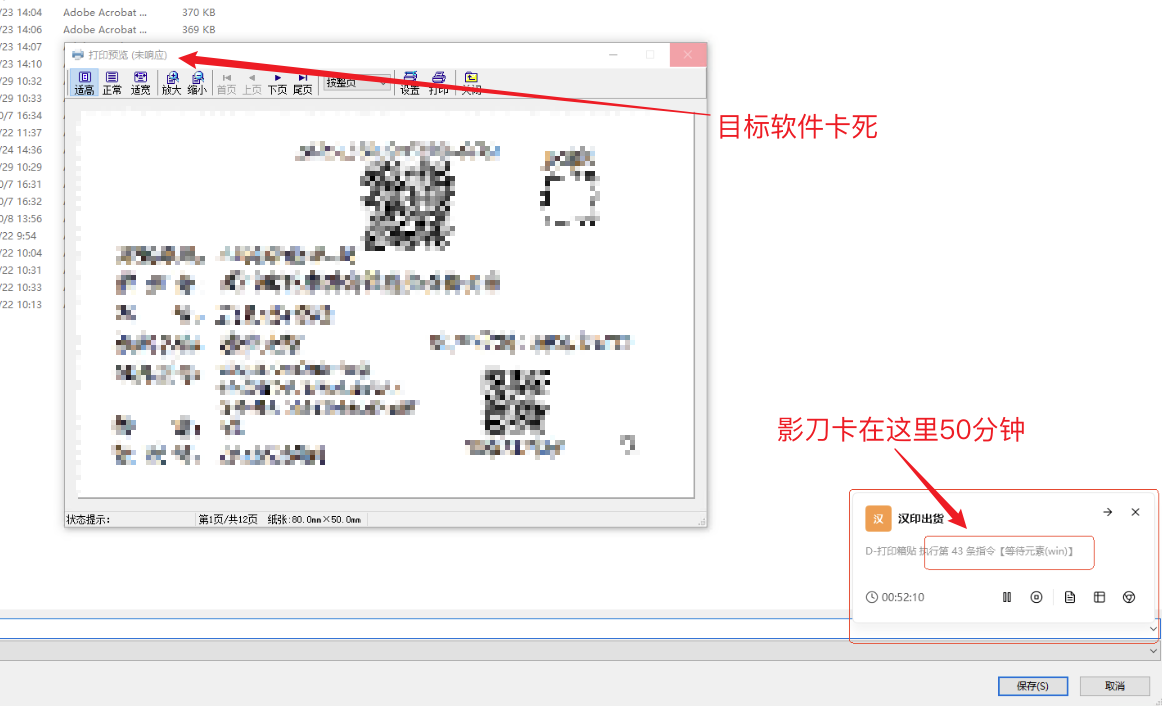
最近有客户反馈影刀在操作Windwos软件的时候卡死,等待元素的指令设置了最长等待300秒但是客户那边显示在等待元素指令卡了50分钟,我远程过去排查后发现客户操作的目标软件卡死了下面图片就是当时的截图。
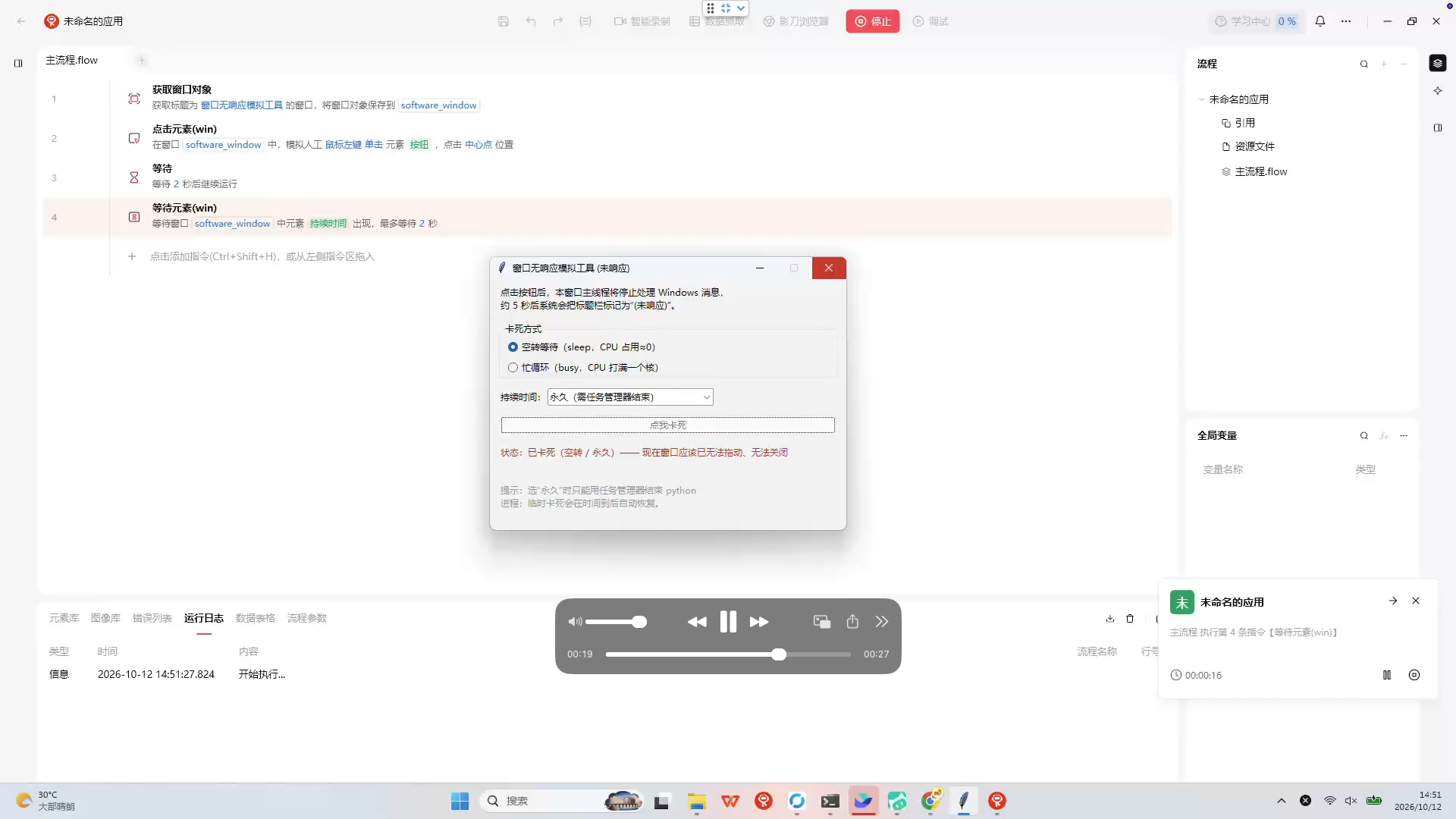
之前没有遇到过这种情况,我当时怀疑是否影刀操作未响应的窗口都会卡住,所以让AI写了一个能主动触发卡死的程序做测试,测试发现确实会卡住,影刀类似被阻塞了,等目标窗口结束未响应后影刀能继续操作。
2、解决方案
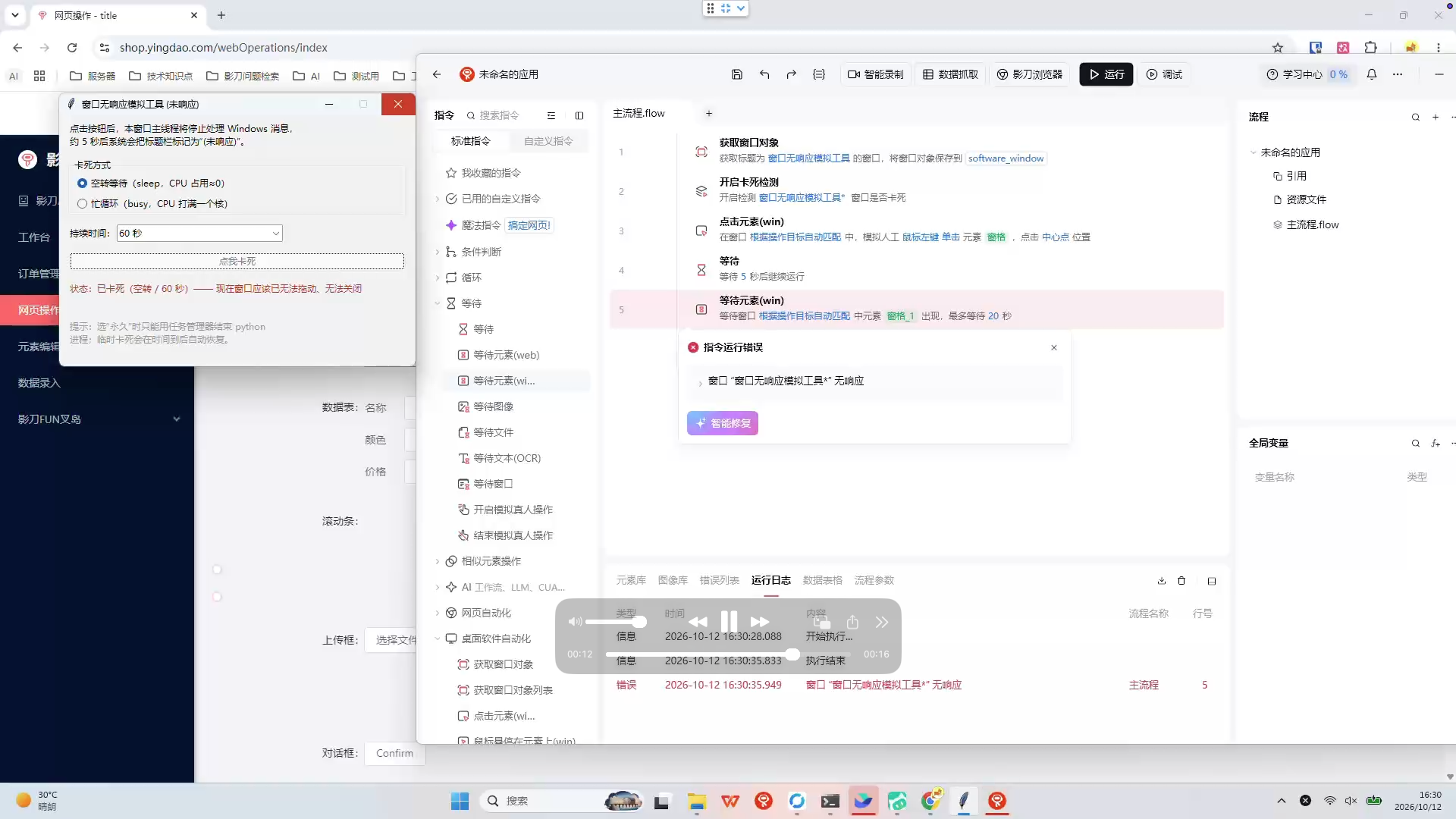
如果目标软件一直未响应影刀就会一直被阻塞导致整个流程卡死,我们希望的时检测到目标软件未响应了就关闭目标软件重新打开(因为未响应的情况还是比较少)。
Python可以通过窗口名称、进程PID、进程名称等获取到进程后判断进程是否卡住,所以我们思路就是给操作win元素的指令套个装饰器,每次操作前判断进程是否卡住,如果卡住则直接报错不要继续操作了。
代码如下
windows_check.py
import ctypes
import psutil
import win32gui
import win32process
import fnmatch

user32 = ctypes.WinDLL("user32", use_last_error=True)
IsHungAppWindow = user32.IsHungAppWindow
IsHungAppWindow.argtypes = [ctypes.c_void_p]
IsHungAppWindow.restype = ctypes.c_bool

def get_hwnd_by_window_title_pattern(pattern: str):
    """
    窗口标题 通配符匹配,fnmatch语法
    示例:*记事本*, Notepad*, *Chrome
    """
    hwnd_list = []
    def enum_callback(hwnd, extra):
        wnd_title = win32gui.GetWindowText(hwnd)
        if win32gui.IsWindowVisible(hwnd):
            if fnmatch.fnmatch(wnd_title, pattern):
                hwnd_list.append(hwnd)
    win32gui.EnumWindows(enum_callback, None)
    return hwnd_list

def is_window_hung(hwnd):
    """判断单个窗口是否卡死(True=卡死未响应)"""
    if not win32gui.IsWindow(hwnd):
        return None
    return IsHungAppWindow(hwnd)

def check_by_title_pattern(title_pattern: str):
    hwnds = get_hwnd_by_window_title_pattern(title_pattern)
    if not hwnds:
        return {"ok": False, "msg": f"没有匹配标题【{title_pattern}】的窗口", "hung": None}
    res = []
    for h in hwnds:
        hung = is_window_hung(h)
        res.append({"hwnd": h, "hung": hung})
    return {"ok": True, "windows": res}
registry.py
import xbot_visual

from functools import wraps
from typing import Callable, List, Dict

from .windows_check import check_by_title_pattern


class WinHungDecoratorRegistry:
    def __init__(self):
        self.registered_patches: List[tuple[object, str]] = []
        self.origin_map: Dict[tuple[object, str], Callable] = {}
        self.active: bool = False
        self.window_name: str | None = None

    def register_patch(self, obj: object, attr_name: str):
        """
        注册需要打补丁的方法
        obj: 模块/类,如 xbot_visual.win32.element
        attr_name: 方法名字符串,例如 "click"
        """
        patch_key = (obj, attr_name)
        if patch_key not in self.registered_patches:
            self.registered_patches.append(patch_key)

    def hung_check_decorator(self, func: Callable):
        @wraps(func)
        def wrapper(*args, **kwargs):
            if self.window_name:
                result = check_by_title_pattern(self.window_name)
                hungs = [_["hung"] for _ in result["windows"]]
                if True in hungs:
                    raise RuntimeError(f"窗口 “{self.window_name}” 无响应")
            return func(*args, **kwargs)
        return wrapper

    def enable(self, window_name: str):
        if self.active:
            return
        self.window_name = window_name
        self.active = True

        for patch_key in self.registered_patches:
            obj, attr_name = patch_key
            origin_func = getattr(obj, attr_name)
            wrapped_func = self.hung_check_decorator(origin_func)
            self.origin_map[patch_key] = origin_func
            setattr(obj, attr_name, wrapped_func)

    def disable(self):
        if not self.active:
            return
        self.active = False
        self.window_name = None
        for patch_key, origin_func in self.origin_map.items():
            obj, attr_name = patch_key
            setattr(obj, attr_name, origin_func)
        self.origin_map.clear()

registry = WinHungDecoratorRegistry()

registry.register_patch(xbot_visual.win32.element, "click")
registry.register_patch(xbot_visual.win32.element, "input")
registry.register_patch(xbot_visual.win32.element, "wait")
只需要在操作目标软件前开启装饰器就能实现判断软件是否卡死的检测,下面图片是效果演示。